SeeBloom
SeeBloom / Models / GPT Image 2.5
AI Image Model

GPT Image 2.5 AI Image Generator — Precise Edits, Transparent Backgrounds

OpenAI’s latest image model follows detailed instructions closely, edits only what you ask for, renders clean text and exports transparent PNGs. Choose Sunburst for maximum fidelity or Flare for fast everyday work.

30 free credits on sign-up · Failed jobs refunded

GPT Image 2.5 sample image

GPT Image 2.5 at a glance

What you can set for each generation on SeeBloom.

Versions
Sunburst (highest capability) · Flare (faster everyday)
Resolution
1K, 2K
Quality tiers
Low, Medium, High, Auto
Modes
Text-to-image · image editing · masked inpainting
Output
PNG with optional transparent background
Price on SeeBloom
1–14 credits per image by quality and size

Why creators choose GPT Image 2.5

Where the model stands out compared with other image generators.

Edits exactly what you ask

Describe a change — “make the jacket navy, keep everything else” — and GPT Image 2.5 alters only that part while preserving faces, layout and lighting.

Masked inpainting

Brush over an area and describe what should be there. Perfect for fixing details, replacing products or cleaning up backgrounds.

Transparent PNGs

Export stickers, logos, product cut-outs and UI assets with a transparent background, ready to drop into any design.

Sunburst or Flare

Sunburst delivers the highest fidelity for hero images; Flare is quicker for drafts and day-to-day edits. Both share the same price table on SeeBloom.

GPT Image 2.5 prompt examples

Copy a prompt, open the studio and paste it in — then adjust the subject and details to make it yours.

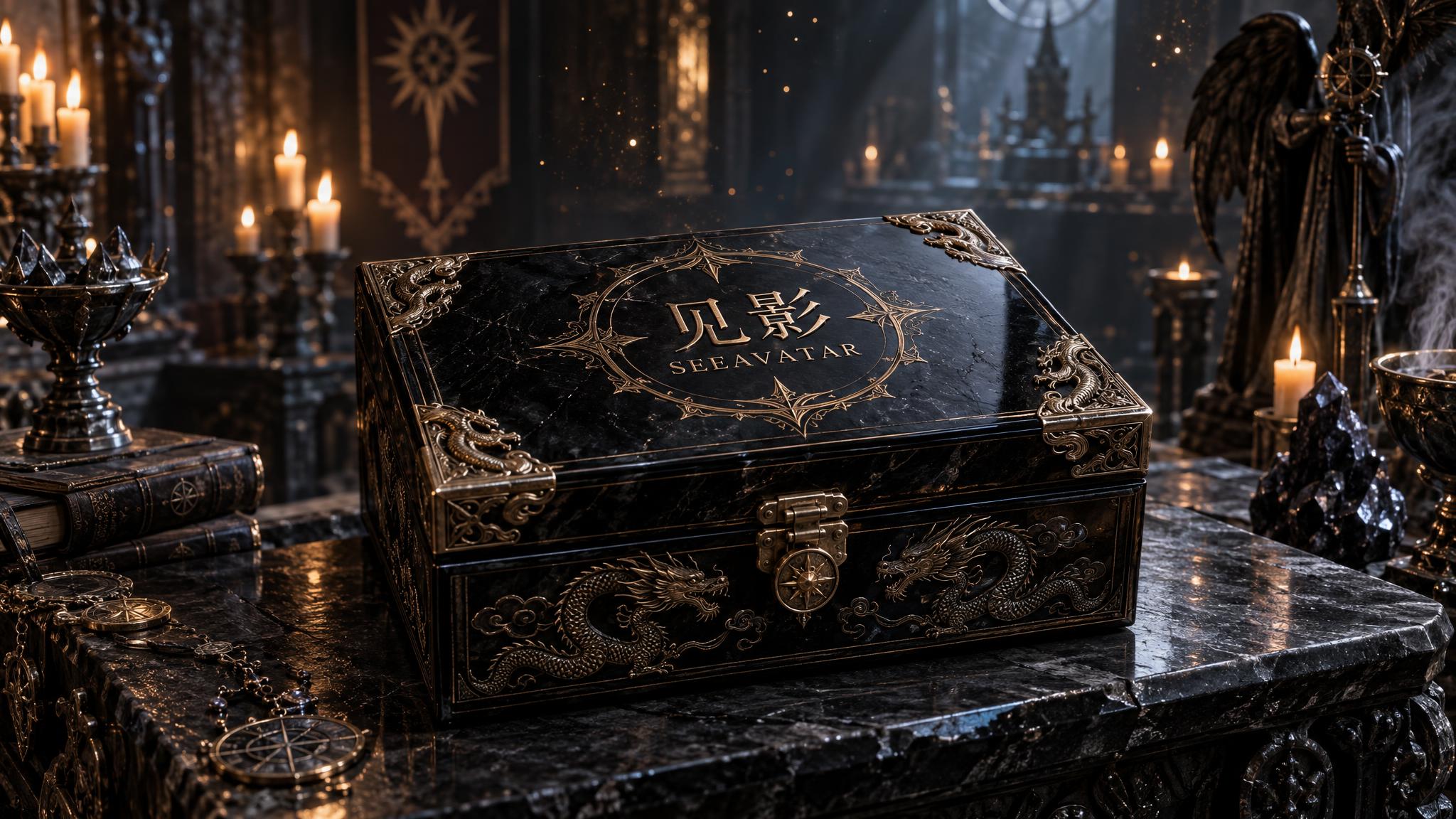
Lacquer casket with gold lettering (Sunburst)
2K · High · 16:9 · Sunburst

Lacquer casket with gold lettering (Sunburst)

Dark-fantasy precision still, widescreen: a matte black lacquer sacred casket on an obsidian altar; gold-wire inlay clearly reads Chinese「影见」and English SEEBLOOM with sharp undistorted glyphs. Embossed dragon corners, hinge micro-scratches, and split cool-warm rim light under strict control; blurred chamber candles and floating gold dust behind. Physically correct materials, controllable lettering, ad-grade 16:9, no watermark, no border.
Try it
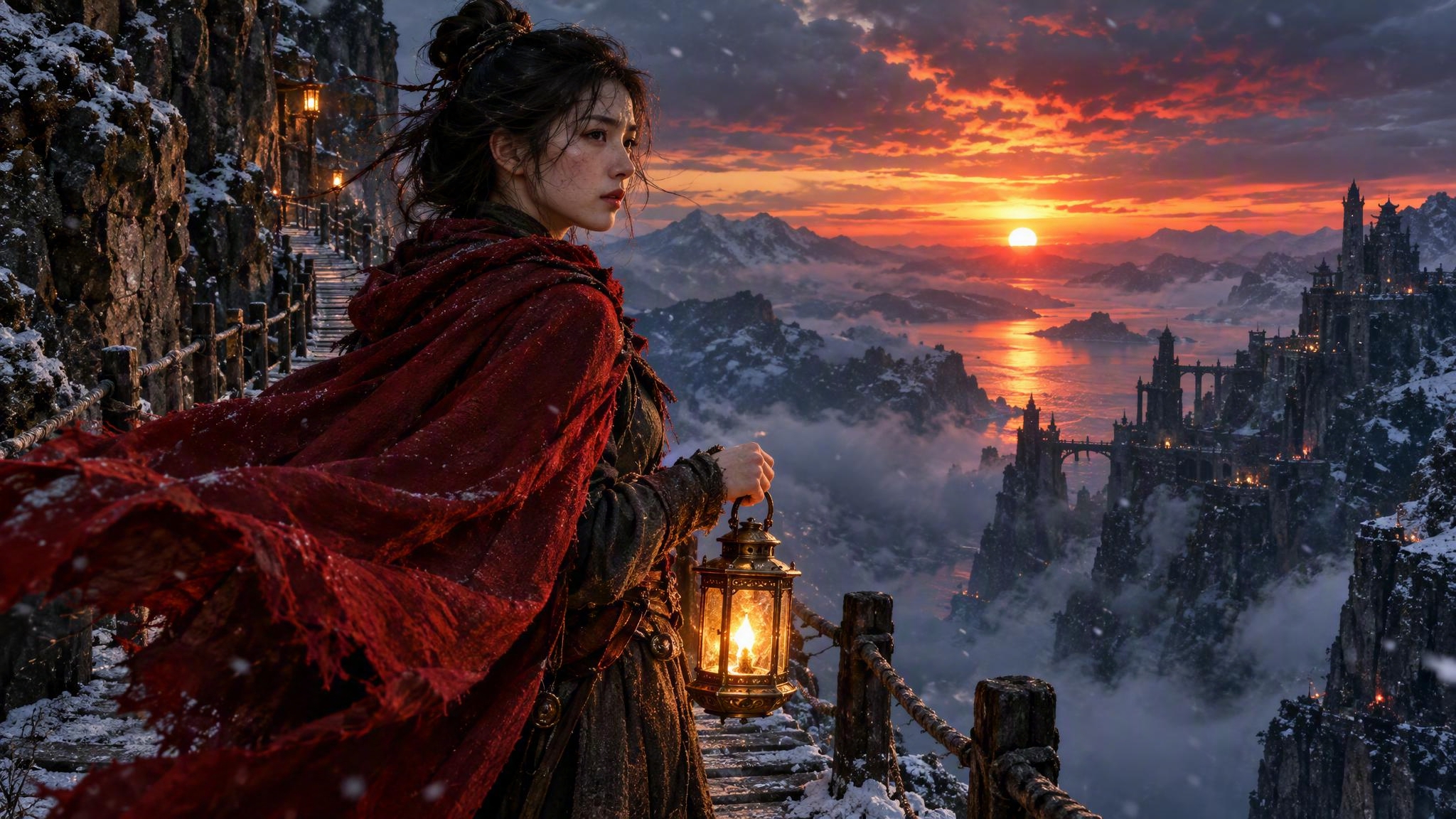
Lantern traveler at dusk (Flare)
2K · High · 16:9 · Flare

Lantern traveler at dusk (Flare)

Dark-fantasy high-quality widescreen: East Asian traveler half-body on a cliff path at crimson dusk, holding a brass wind lantern; deep-red cloak whipped by hard wind. Warm lantern meeting cold twilight, volumetric dust and fine snow, skin pores and coarse linen weave all crisp; clean one-glance composition, cinematic still 16:9, no text, no watermark.
Try it
Prompt idea · 1K · 1:1 · transparent PNG

Die-cut sticker on a transparent background

A cute die-cut sticker of a cartoon astronaut cat floating with a tiny rocket, thick white outline, flat vector style, bright pastel colors. Transparent background, no shadow, no text.
Try it

How to create images with GPT Image 2.5

Three steps, no software to install.

1

Pick Sunburst or Flare

Use Sunburst for final, detail-heavy images and Flare for fast iterations.

2

Write or upload

Describe a new image, or upload a photo and say what to change. Use the brush to mask an area for inpainting.

3

Set quality and export

Choose 1K or 2K, a quality tier and an optional transparent background, then download the PNG.

GPT Image 2.5 pricing

GPT Image 2.5 is billed per image by quality and resolution. Sunburst and Flare cost the same. At the base rate (20 credits = $1), a High-quality 2K image is about $0.70.

ExampleRateTotal
Low · 1K1 credit1 credit
Medium · 1K4 credits4 credits
High · 2K14 credits14 credits

Editing an uploaded image adds 2 credits at 1K or 4 at 2K. Failed generations are refunded automatically.

Frequently asked questions

About GPT Image 2.5 on SeeBloom.

What is GPT Image 2.5?

GPT Image 2.5 is OpenAI’s latest image generation and editing model, the technology behind image creation in ChatGPT. SeeBloom offers two versions: Sunburst and Flare.

What’s the difference between Sunburst and Flare?

Sunburst is the highest-capability version for detailed, final images and precision edits. Flare is faster and well suited to everyday generation and quick edits. Both cost the same per image.

Can GPT Image 2.5 make transparent backgrounds?

Yes. Turn on the transparent background option to export a PNG with no background — ideal for stickers, logos and product cut-outs.

Can I try GPT Image 2.5 for free?

Yes. New accounts get 30 free credits — enough for 2 High-quality 2K images or 7 Medium 1K images.

Does it support inpainting?

Yes. Upload an image, brush over the area you want to change and describe the edit. Only the masked area is regenerated.

Is SeeBloom affiliated with OpenAI?

No. SeeBloom is an independent platform providing access to GPT Image 2.5 alongside other leading models.

Start creating with GPT Image 2.5

Sign up to get free credits and create your first image in seconds.

Open GPT Image 2.5 in SeeBloom →